End-user / Dashboard
This is the homepage when accessing fleio from the end-user panel:
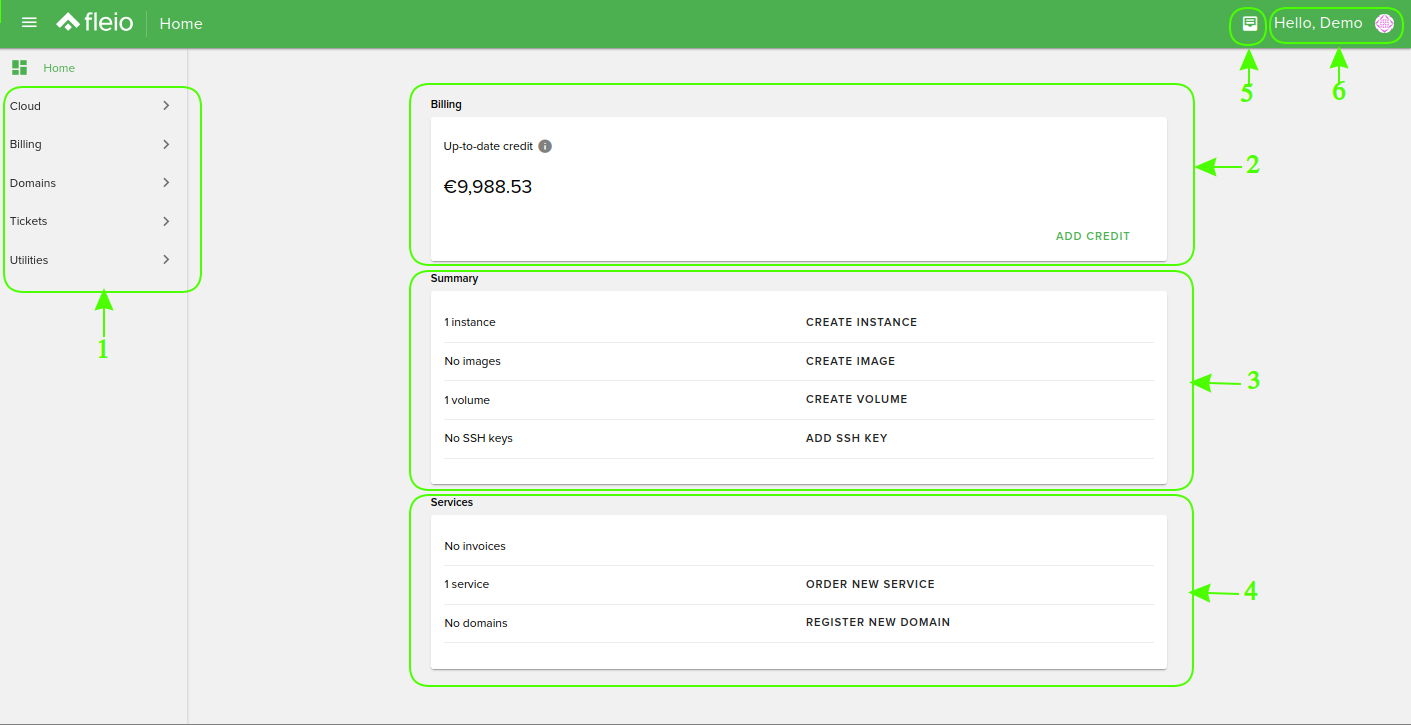
Main Menu Area (1)
The main menu area contains these categories: Cloud, Billing, Domains, Tickets and Utilities.
It can be switched on and off using the button from the top-left side of the screen.
The menu consists of the home button which redirects the user back to this page and two tabs that have the following structure:
Cloud
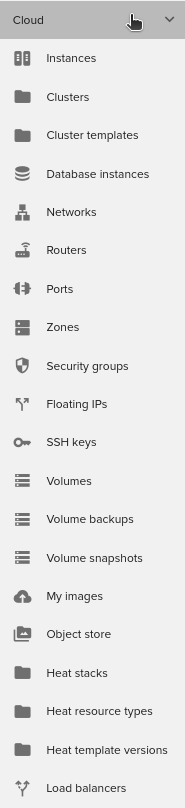
Instances: Manage your instances. View details for your instances
Clusters: Manage your clusters
Cluster Template: Create and manage your cluster’s template
Networks: Create or see details about your networks
Routers: Create and manage your routers
Ports: Create and manage your ports
Zones: Create and manage DNS zones
Security groups: Manage your security groups
Floating IPs: Manage your floating IPs
SSH Keys: Manage your SSH keys
Volumes: Manage your volumes
Volumes backups: Create and manage volumes backups
Volume snapshots: Create and manage volumes snapshots
My images: Manage your created images (snapshots)
Object store: Create and manage containers
Heat stacks
Heat resource types
Heat template versions
API users: Manage your API users
Load balancers: Create and manage your load balancers
Billing
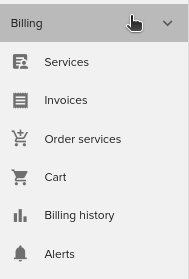
Services: See details about all services
Invoices: List all the invoices and manage them
Order services: Order services page
Cart: Cart containing services ordered
Billing History: The cost for each instance, image, volume or for all
Alerts: Create and manage alerts
Domains
My domains: Here you will see/manage your domains
Domain contacts: Here you will manage your domain contacts
Register domain: Here you will register domains
Transfer domain: Here you will manage the domain transfers
Tickets
Tickets: Here you will be able to create/close/check tickets
Utilities
Operations: Here you will have a summary of your operations like CREATE INSTANCE, DELETE INSTANCE etc
Dashboard area
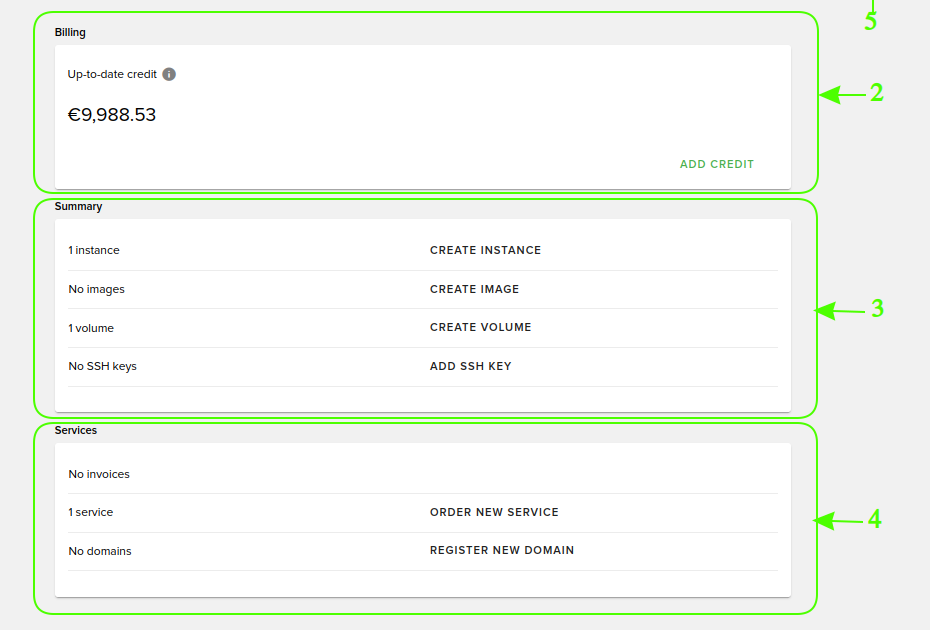
Billing Area (2)
Up to date credit: Your available credit. Click Add credit to specify the amount then choose the method of payment on the invoice page.
Summary Area (3)
Account summary: The summary of your total instances, total images, total volumes and total SSH keys.
Services Area (4)
Account services: The total number of your services and domains.
Ticket Notifications (5)
Create, manage and view tickets.
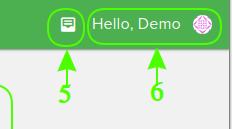
User Area (6)
Notifications: Here you receive all kind of notifications from our system.
My Profile: Change your name, last name, email address, password, theme.
Log Out: Log-out from your account.